
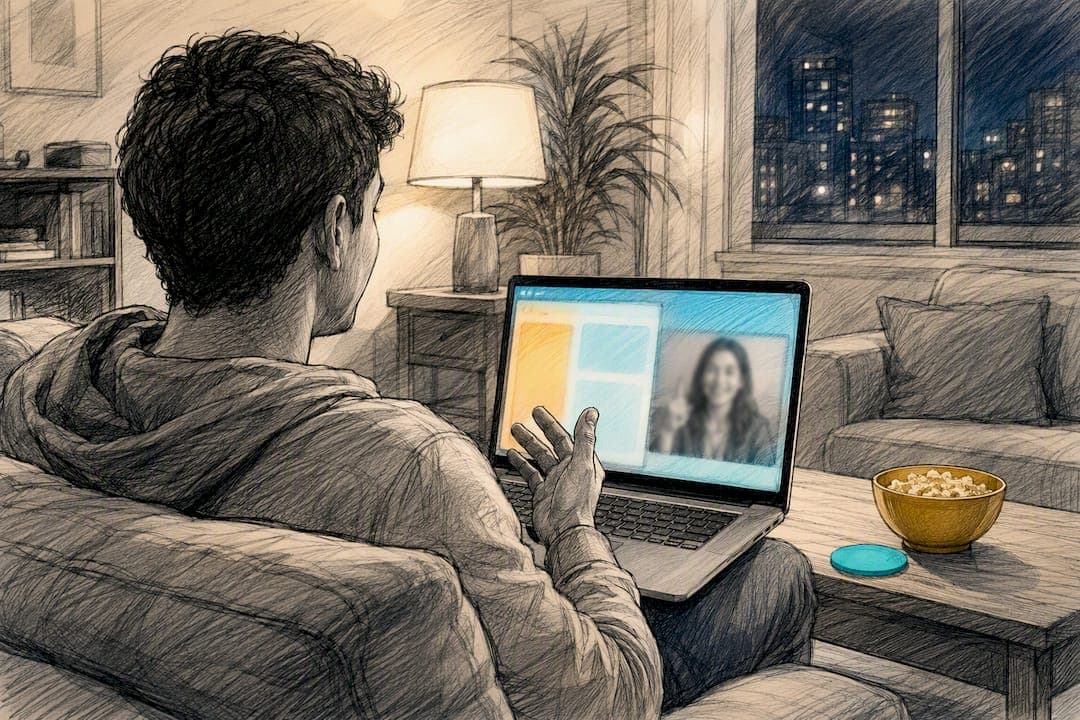
Open a browser-based trivia platform, create a room, and drop the code or QR into your group video call. Everyone joins on their own phone, so no one needs to download anything. Keep rounds to five or ten questions each to hold energy, and pick a format like blitz PvP or team play depending on how competitive your group gets. One option built specifically for movie, TV, and anime fans who want fast rounds without the setup hassle.
TL;DR:
- Browser-based trivia platforms require no downloads and allow quick access for all players through a code or QR, ideal for casual game nights.
- Fast-paced modes like blitz PvP and curated short rounds keep energy high and prevent fatigue, especially with sessions lasting 20 to 45 minutes.
- Using dedicated themes such as movie decades or TV show trivia makes preparation easy and keeps questions engaging within the 8 to 10 question limit per round.
- Mixing game formats—head-to-head, team, relay, or audio/image rounds—caters to different group dynamics and maintains variety and excitement.
- Stable WiFi connections and a backup plan for laggers are essential to ensure smooth gameplay and maintain momentum throughout the session.
Table of Contents
- Quick Setup: What You Need Before Game Night
- What Format Should You Play?
- Which Tech Setup Actually Works?
- How Do You Actually Run the Game?
- What Are Good Round Themes and Sample Questions?
- Why Speed and Curation Beat Long Trivia Nights
- Try a Fast, Social Trivia Night With Flicksy
- Sources
- FAQ
Quick Setup: What You Need Before Game Night
You need three things: a video call, a trivia platform, and phones for everyone playing. Host from a laptop or desktop so you can run presenter view while sharing your screen. Players answer on their own phones instead of crowding around one device, which keeps scoring accurate and prevents peeking.
Here's the fastest path from zero to playing:
- Open your trivia platform and create a room.
- Share the room code or QR code on screen through your video call.
- Watch the join screen until everyone's name shows up.
- Run one practice question so nobody's confused about how to answer.
- Start the real rounds.
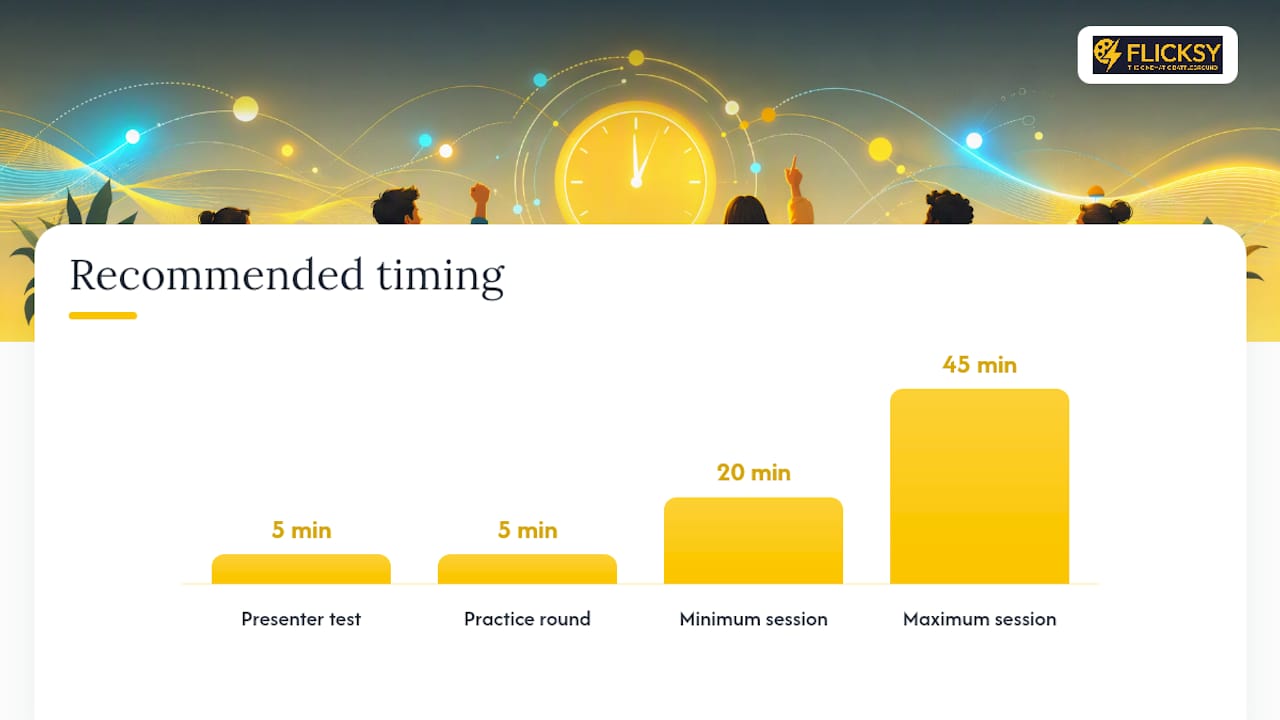
A single practice round eliminates most early confusion and stops people from dropping out before the game even gets going. For timing, aim for a total session between 20 and 45 minutes. Anything longer and people start checking their phones for other reasons.
If your group is bigger than eight, consider breakout rooms with a team captain relaying answers. It keeps things organized without slowing the pace.
Pro Tip: Test your presenter view and screen share five minutes before your friends log on. A frozen screen at question one kills the momentum you're trying to build.
What Format Should You Play?
The format you pick shapes the whole night more than the questions do. A few options work especially well for remote groups:
- Blitz PvP: Two players face off head to head with a countdown timer, rewarding whoever answers fastest and correctly. Great for friendly rivalries or settling an argument about who knows more movies.
- Couch party or team mode: Split into small teams that pool knowledge on each question. Works well for bigger groups where not everyone wants individual pressure.
- Relay rounds: Each player answers one question in sequence, so momentum keeps shifting and nobody's stuck watching silently for ten minutes.
- Audio or image rounds: Play a movie clip, show a blurred poster, or drop a GIF and let players guess. These break up the monotony of straight text questions.
Set your rules before you start, not mid-game. Decide whether one device per player is mandatory (it should be), whether speed counts toward score or just accuracy does, and how you'll break ties. A simple tie-breaker like a sudden-death question works better than arguing about it after the fact.
Casual groups tend to enjoy relay and team formats since the pressure spreads out. Competitive friend groups gravitate toward blitz PvP, where bragging rights are the whole point. If someone's clearly Googling answers, call it out lightly and move on. Most cheating in a casual game is more about the joke than actually winning.
Which Tech Setup Actually Works?
Browser-based platforms beat app-based ones for one reason: friction. No download or account creation means your least tech-savvy friend joins just as fast as anyone else. A code or QR code gets everyone in within seconds.
For the video call side, pair your trivia platform with whatever you already use, Zoom, Teams, or Google Meet. The host shares presenter view showing questions and a countdown, while everyone else answers on their phone screen. This split keeps the shared screen clean and the individual devices private, so no one can see a friend's answer before locking in their own.
A few practical notes:
- Ask everyone to join on WiFi rather than cellular data if possible; laggy connections cause missed answers more than anything else.
- If someone's on an older phone or a small screen, warn them the countdown timer moves fast so they're not caught off guard.
- Live, auto-updating leaderboards keep energy high between rounds, turning a quiet lull into a burst of trash talk and comparing scores.
Platforms built for scale work whether you've got three friends or twelve, since each player answers on a separate device regardless of group size.
How Do You Actually Run the Game?
Running a good trivia night is mostly about pacing, not the questions themselves. Here's a script that works for almost any friend group:
- Before you start: Pick your theme rounds, load your questions, and do a quick test of your screen share and audio. Send a one-line message to the group beforehand: "Trivia at 8, just click the link, no download needed."
- Opening: Welcome everyone, explain the format in two sentences max, then run one practice question. This is where most confusion gets resolved before it matters.
- Sharing the join info: Put the room code or QR code on screen and wait until you see names populate before moving on.
- During the game: Keep pace brisk. Show the leaderboard after every round or two so people feel the stakes. If you're running team mode, give teams 15 to 20 seconds to confer, no more.
- Wrapping up: Announce the winner, offer a rematch if energy's still high, and grab a screenshot of the final leaderboard before everyone logs off.
Plan for things going sideways. If someone can't join, keep going rather than stalling the whole group for one person's WiFi. If your own connection lags, have a backup device ready to hop on. And if the game runs long, cut the last round short rather than losing your group's attention entirely.
Pro Tip: Screenshot the final leaderboard every time. It's the easiest way to keep the rivalry going in your group chat until next week's rematch.
What Are Good Round Themes and Sample Questions?
Prep work is the part hosts dread most, so here are ready-to-run ideas that need almost no setup:
- Movie decades round: Questions grouped by era, 1980s action, 2000s comedies, and so on.
- TV pilot trivia: How well does your group remember how their favorite shows actually started?
- Anime speed round: Quick-fire questions with a short timer, rewarding recognition over deep knowledge.
- Nostalgia round: Cartoons, commercials, and shows from childhood.
- Personal-knowledge round: Questions about the group itself, "who's most likely to," or inside jokes turned into trivia.
For interactive formats, try playing a short audio clip and asking players to name the movie, or showing a blurred image and letting the answer sharpen over five seconds. A "who knows who best" round, where one friend's answers become the trivia, always gets laughs.
Keep each round to 8 to 10 questions. Longer than that and even engaged players start losing focus.
Sample questions to steal:
- What 1994 film features a shrimp-related monologue on a park bench?
- Which anime follows a boy who inherits a notebook that kills anyone whose name is written in it?
- What sitcom is set in a fictional New York apartment building called the Arconia?
- In what movie does a character famously say "I'll be back"?
Why Speed and Curation Beat Long Trivia Nights
Long trivia nights fizzle. The energy that makes a game night fun comes from quick wins, quick losses, and quick recovery, not from grinding through forty questions on a single theme. Short, curated rounds keep everyone leaning forward instead of checking out halfway through.
Modes like Flicksy's Blitz PvP show this well: a head-to-head match built around speed and accuracy finishes in minutes, not a full evening. Couch Party scales that same idea to a group, and Solo Arena gives players something to return to between friend hangouts. That structure, rapid rounds, curated categories, visible leaderboards, is what keeps trivia nights from becoming a once-a-year novelty instead of a regular thing your group actually looks forward to.
— Aakash
Try a Fast, Social Trivia Night With Flicksy
This platform is built for exactly the kind of night this guide describes: fast rounds, no downloads, and content curated around movies, TV, and anime instead of generic trivia decks. Blitz PvP mode gets you into a head-to-head match in seconds, group party mode turns your group call into a shared game, and solo challenge gives you something to play between hangouts.
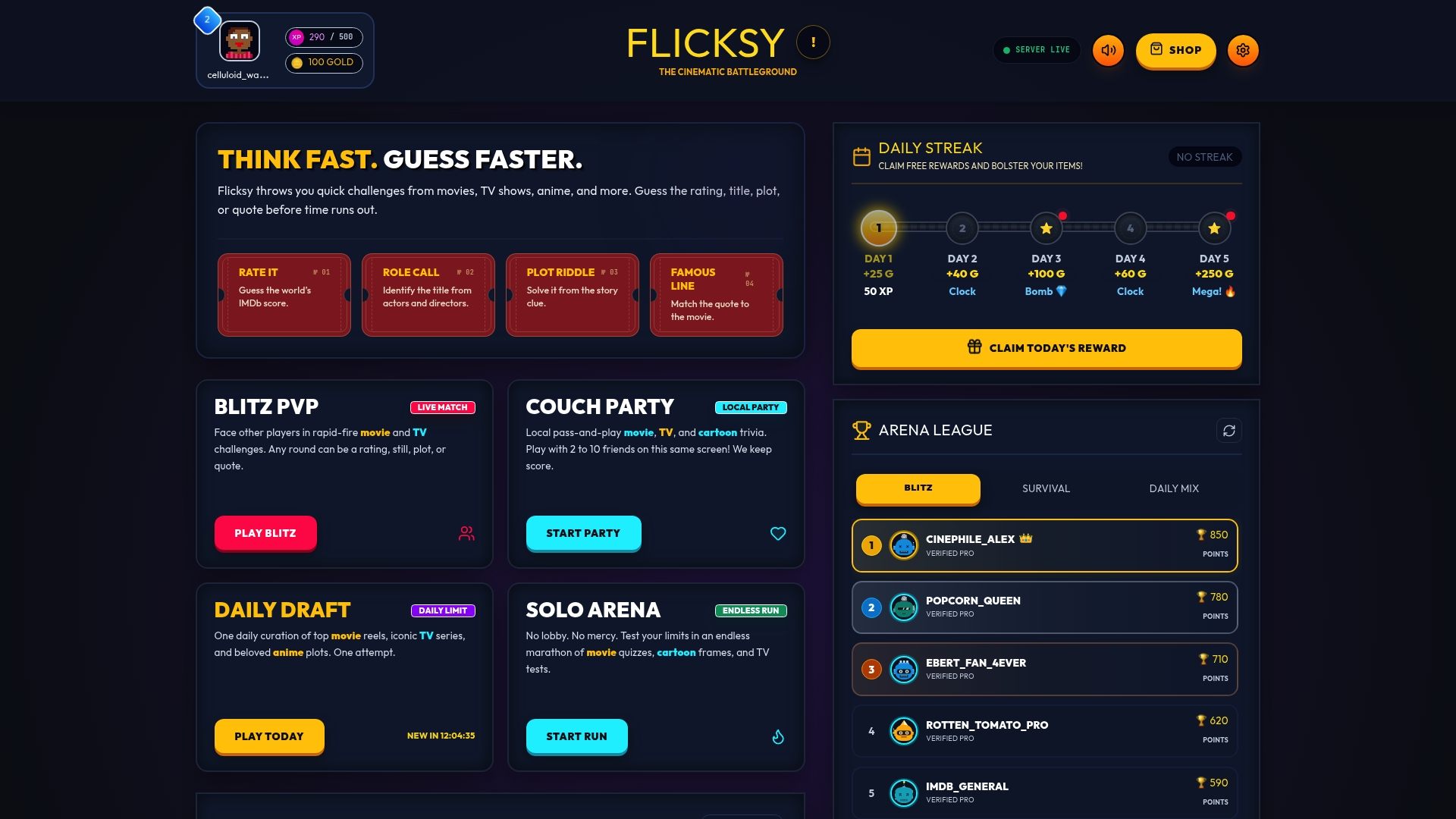
The setup mirrors everything covered above: create a room, share the join info, and let your friends jump in from their phones while daily rewards and leaderboards keep the rivalry alive after the call ends. If you want to see how a quick match actually feels, try a 1v1 Blitz PvP match or gather your group for a round of Couch Party at Flicksy.
Sources
- Team Trivia Games — Free Live Trivia for Work, Zoom & Teams
- Remote Team Trivia Game | The Fast Quiz
- Trivia Anywhere — Free Online Trivia Maker & Kahoot Alternative
- How to Run a Virtual Trivia Night on Zoom — Complete Guide (2026)
FAQ
How Long Should a Remote Trivia Night Last?
Most sessions work best between 20 and 45 minutes total, split into rounds of five to ten questions. Shorter rounds keep energy high throughout a video call, where attention spans drop faster than in person.
Do Players Need to Download Anything?
No. Browser-based platforms let players join using just a room code or QR code, no app or account required. This is one reason friend groups prefer them over app-based quiz nights.
What's the Best Video Call Platform for Trivia?
Any major platform works, Zoom, Microsoft Teams, or Google Meet. The trivia platform itself matters more than the call software, since presenter view and screen share handle the actual gameplay regardless of which call app you're using.
Can Flicksy Be Used for a Group Trivia Night?
Yes. Flicksy's Couch Party mode is built for groups playing together, while Blitz PvP works for head-to-head matches between two friends. Both run through Flicksy with fast, curated rounds focused on movies, TV, and anime.
How Do You Handle Someone With a Slow Internet Connection?
Ask them to join on WiFi rather than cellular data, and keep a backup plan like letting a teammate submit their answers if their connection drops mid-round. Don't stall the whole group waiting on one person's connection; keep the pace moving and let them rejoin when they can.