
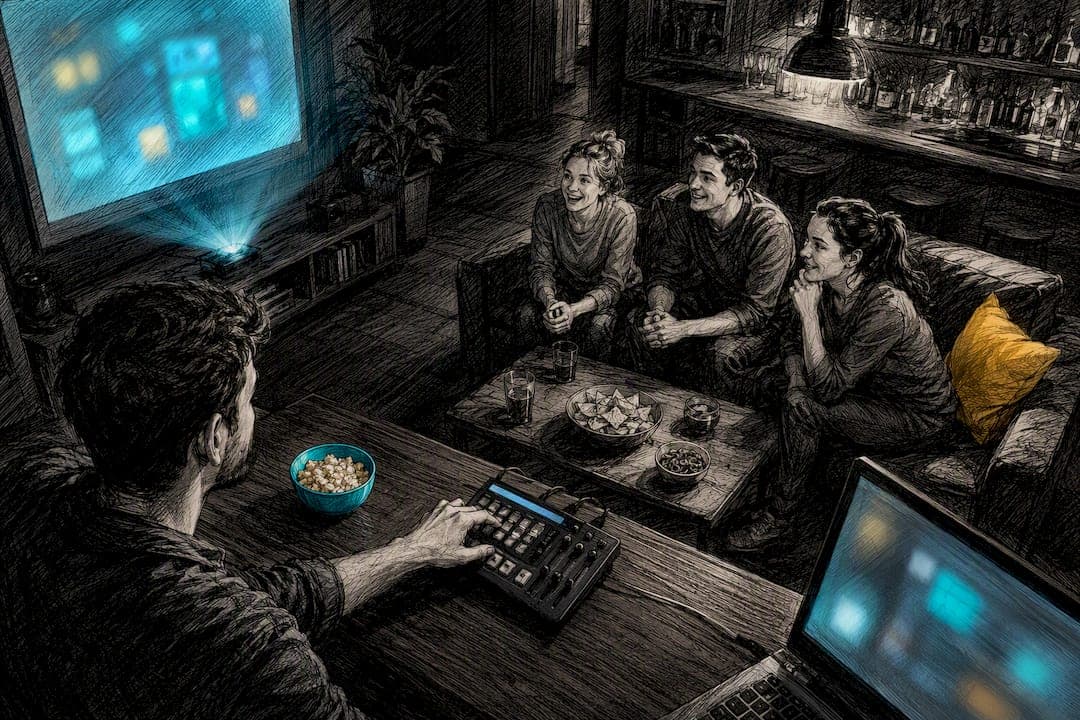
You can host a movie, TV, or anime trivia night inside a trivia app in minutes. Pick a mode (Blitz PvP, Couch Party, or Solo Arena), create a room, invite your players, and run rounds using the app's built-in timers and question sets. Most hosts get a first session live within a short setup time, and the setup is designed around fandom crowds rather than generic bar-quiz formats.
TL;DR:
- Setting up a trivia session takes around 5 to 20 minutes for first-timers, with presets reducing this to under two minutes for recurring groups.
- Choosing between Blitz PvP, Couch Party, or Solo Arena depends on group size and desired competition style, with Couch Party best for four or more players.
- Structuring rounds with increasing difficulty, themed deep-dives, image, audio, and lightning rounds helps sustain fandom engagement and excitement.
- Ensuring smooth live play requires fully charged devices, tested audio, a wired host connection, and a designated co-host to manage technical issues.
- Maintaining interest long-term relies on theme voting, leaderboards, streak shout-outs, varied question formats, and gathering player feedback.
Table of Contents
- How Do You Start a Flicksy Session for Trivia Night?
- Which Flicksy Mode Fits Your Group?
- How Do You Build Rounds Fans Will Actually Enjoy?
- What Do You Need to Run Trivia Night Without Glitches?
- How Do You Invite Players and Run the Live Flow?
- How Do You Keep Fandom Crowds Coming Back?
- Flicksy Host Notes: What We Learned Running Fandom Nights
- Ready to Run Your Own Trivia Night?
- Selected Links and Tutorials
- FAQ
How Do You Start a Flicksy Session for Trivia Night?
Getting a room running takes fewer steps than picking what to watch on a Friday night. Flicksy's core game modes cover competitive, group, and solo play, so the setup process barely changes no matter which crowd you're hosting for.
- Open Flicksy and tap Create Game.
- Choose your mode based on group size and how competitive you want the night to feel.
- Name the room, then set privacy, round timers, and question count.
- Save the setup as a preset if you plan to run this crowd again.
- Share the join code or link with your players.
Before anyone taps "start," run a 30-second check: phones charged, notifications silenced, audio tested if you're using clip rounds. That small habit prevents the single most common derailment in live trivia: someone missing the first question because their phone buzzed with a text.
First-timers usually spend closer to 20 minutes on setup, mostly deciding on question mix and room settings. Presets can reduce this time for repeat nights. Flicksy's blog even walks through the fastest version of this for competitive play in its 1v1 Blitz PvP quick-start guide.
Pro Tip: Build one preset per fandom (Marvel night, anime openings, prestige TV) instead of one generic template. Swapping presets takes seconds and keeps question quality tight for each crowd.
Which Flicksy Mode Fits Your Group?
The mode you choose shapes the whole night, from pacing to how much trash talk you should expect in the group chat. The game features three formats built for different group sizes and energy levels.
- Blitz PvP works best for head-to-head competition. Two players, fast rounds, real stakes. Ideal for tournament brackets or settling an argument about who actually knows more anime openings.
- Couch Party is built for groups of four or more sharing a room, whether that's a physical living room or a virtual hangout. Everyone answers the same rounds together, which keeps the pacing social instead of purely competitive.
- Solo Arena works as a warmup or practice mode. Use it to seed your own leaderboard position before a big group night, or to give a nervous first-timer a low-pressure way to learn the app.
For a casual weeknight with three or four friends, Couch Party wins every time. For a rivalry between two die-hard fans, Blitz PvP settles it faster and with more drama. If you're building toward a recurring event with prizes, run Solo Arena sessions during the week to build hype on the leaderboard, then close with a live Couch Party or Blitz PvP finale.
How Do You Build Rounds Fans Will Actually Enjoy?
Generic trivia questions bore fandom crowds fast. The fix is a session structure that ramps up difficulty and switches formats often enough to keep attention locked in.
- Warmup round — easy, broad questions ("What year did the first Spider-Man film release?") to get everyone answering fast.
- Theme deep-dive — pick one show, franchise, or genre and go deeper (character arcs, plot twists, side characters).
- Picture/still round — screenshots or promotional stills; players identify the scene or character.
- Audio/clip round — a few seconds of a theme song or iconic line, if your session supports it.
- Lightning round — rapid-fire, shorter timers, higher point values.
- Tie-breaker — one hard question, closest-answer or fastest-correct wins.
Sample prompts for a movie/anime crowd: "Finish the quote: 'I am inevitable.'" or "Name the studio behind this opening sequence" paired with a still. For TV-heavy groups, swap in showrunner trivia or "which season did this happen in" questions.
Difficulty should curve like a good story arc: start easy so nobody feels shut out in round one, peak in the middle where the real fans separate from casual viewers, then finish fast and loud with the lightning round.
Pro Tip: Reserve your hardest question for the tie-breaker, not the middle rounds. Save the stumper for when it actually decides something.
What Do You Need to Run Trivia Night Without Glitches?
Most live trivia problems trace back to two things: a bad connection or an unclear plan for who does what. Sort both before you start.
- Charge every device fully. Dead phones mid game are the fastest way to kill momentum.
- Test audio ahead of time if you're running clip rounds.
- Use a wired connection for the host if you're streaming video alongside the session.
- Assign a co-host for groups larger than six players.
The host's job: advance questions, reveal answers, keep pace, and enforce any house rules (no phone lookups, no shouting answers before locking in). The co-host's job: watch for join failures, manage side chat, and step in if the host's connection drops.
Flicksy's own quick-start tutorial for Blitz PvP covers the same principle: frictionless joining and simple pacing controls matter more than fancy production. If lag hits mid-round, pause rather than push through. A 10-second freeze fixes more than it breaks.
Pro Tip: Text the join link and code separately from your group chat's regular flow. A pinned message gets found faster than one buried under twenty reaction emojis.
How Do You Invite Players and Run the Live Flow?
Send invites with the join code, a one-line rule reminder, and a note on whether cameras are expected on. That single message avoids most of the "wait, how do I join?" delays.
- Budget a few minutes per round, six rounds total, planning your session to last about an hour to an hour and a half.
- For ties, use response time as the first tiebreaker.
- If scores are still even, run one sudden-death question.
- Close by announcing winners on screen, handing out any rewards, and dropping the date for the next session while everyone's still excited.
That last step matters more than it sounds. Momentum from a good trivia night fades fast if you wait a week to schedule the next one.
How Do You Keep Fandom Crowds Coming Back?
Repeat attendance depends less on prize value and more on whether the night felt alive. A few tactics do most of the work.
- Run themed nights and let players vote on the next theme a few days ahead. Anticipation builds engagement before the session even starts.
- Lean on leaderboards and streak shout-outs. Naming the player on a three-win streak out loud does more for competitive energy than any prize.
- Mix in clips, stills, and music rounds instead of running text-only questions all night.
- Add a short post-game poll asking for theme ideas or feedback. Two questions, thirty seconds, done.
Pro Tip: Rotate who picks the theme each session. It spreads ownership across the group and keeps you from running out of fresh ideas after a few months.
Flicksy Host Notes: What We Learned Running Fandom Nights
New hosts almost always overthink round design and underthink join friction. Presets fix both. Blitz PvP and Couch Party cut setup time enough that repeat play becomes the default, not the exception. Editorial work like Aakash's Spider-Man: Brand New Day review directly shapes how fresh and specific Flicksy's question pools stay.
— Aakash
Ready to Run Your Own Trivia Night?
This trivia platform provides built-in modes, curated movie/TV/anime question pools, and live leaderboards, helping hosts avoid creating questions from scratch. Compared to piecing together a quiz from random question generators or spreadsheets, Flicksy hands you a ready-made structure and lets you focus on the fun part: watching your friends argue about anime lore.
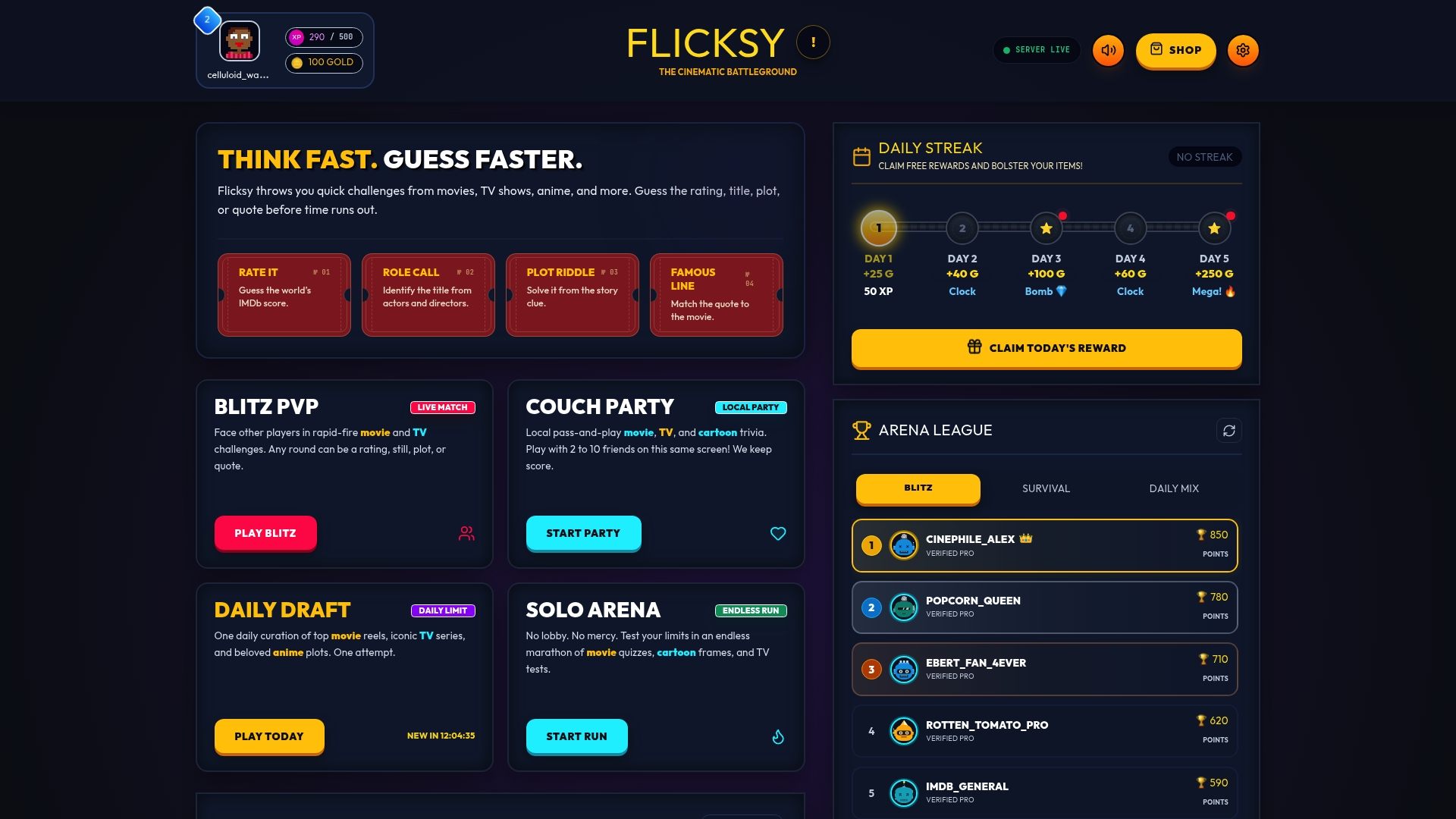
Open Flicksy and try Blitz PvP for a fast head-to-head match, or launch Couch Party if your whole group is ready to play at once. Either way, you'll have a live round running in less time than it takes to argue about which movie to watch instead.
Selected Links and Tutorials
Check Flicksy's Blitz PvP quick-start tutorial for step-by-step setup, and browse family event planning ideas for extra theme inspiration.
FAQ
How long does it take to host a trivia night on Flicksy?
Most first-time hosts need 5 to 20 minutes to set up a room, and saved presets cut that down to a couple of minutes for repeat sessions.
Which Flicksy mode is best for a large group?
Couch Party works best for four or more players sharing rounds together, while Blitz PvP suits head-to-head competition between two players.
How long should a full trivia session run?
Plan for about an hour to an hour and a half total, with several minutes per round across six rounds including a tie-breaker.
What happens if two players tie?
Use response time as the first tiebreaker, then run one sudden-death question if scores are still even.
Can I practice before hosting a live group session?
Yes. Solo Arena lets you warm up and build leaderboard standing before running a live Couch Party or Blitz PvP session with friends.