
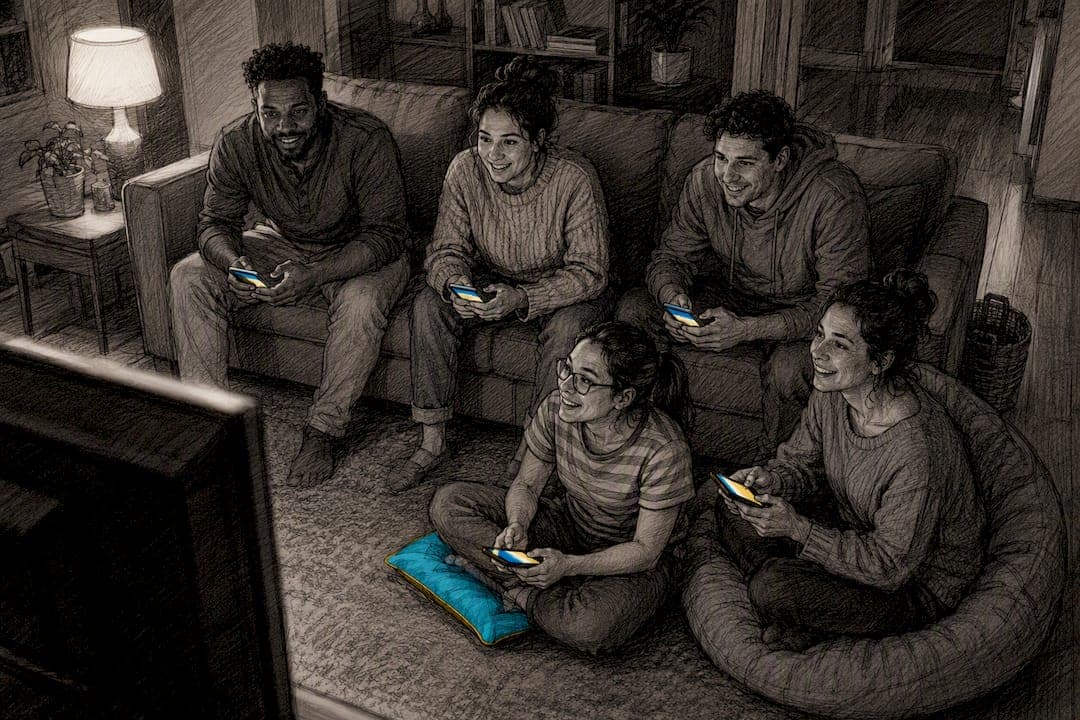
Trivia apps that turn phones into controllers, chaotic mini-game packs, co-op puzzle games, and split-screen racers cover almost every casual group. The quickest setup is a browser-based lobby where everyone joins with a phone, no extra controllers required. For 2 players, grab a co-op puzzle game; for 3 to 4, a racer or trivia match works; for 5 to 8 or more, lean on phone-controller party platforms.
TL;DR:
- A quick, easy setup is crucial, with smartphone-controlled party platforms best suited for large groups of five or more players.
- Shorter game rounds of 5 to 10 minutes maintain high energy and prevent silence or disengagement during play.
- Ensuring controllers are charged, testing connections beforehand, and having a fallback phone-controller system reduces downtime and technical issues.
- Hosting should include brief warm-up rounds, frequent rotation, and swift game switching to keep momentum and prevent boredom.
- Games that allow simultaneous action or quick turns are ideal for maintaining engagement across mixed skill levels and group sizes.
Table of Contents
- What Are the Best Couch Party Games to Start Right Now?
- Which Game Fits Your Group Size and Skill Level?
- What Hardware Do You Need Before Guests Arrive?
- How Do You Host a Couch Party That Doesn't Drag?
- What Flicksy Learned About Round Length and Momentum
- How Much Space Do You Actually Need for Local Multiplayer?
- How Do You Keep Everyone Engaged Between Turns?
- The Real Lesson Behind Every Successful Couch Party
- Ready to Skip the Setup Headaches?
- Sources
What Are the Best Couch Party Games to Start Right Now?
The right pick depends on how much setup patience your group has. These seven options cover the range from "everyone's phone is the controller" to "we have four gamepads and a competitive streak."
- Trivia showdown apps. Best for movie, TV, and anime fans who want quick rounds without learning new controls. These work because rounds run 5 to 10 minutes and everyone already knows how to answer a question.
- Chaotic physics party packs. Best for groups that like watching each other fail spectacularly. Minigame collections like this thrive on short bursts of pure slapstick, which keeps energy high even for non-gamers.
- Co-op puzzle adventures. Best for two players or a couple who want a shared story instead of competition. These reward communication over reflexes, so skill gaps between players barely matter.
- Split-screen racers. Best for 3 to 4 players craving instant competition. Setup takes seconds since everyone just needs a controller and a lane on the screen.
- Local fighting games. Best for friend groups who already know button combos. Newcomers can get steamrolled fast, so pair this with a handicap mode if the group skews casual.
- Browser-based party lobbies. Best for parties of 8 or more where physical controllers run out fast. Many of these let smartphones act as controllers through a web browser, so a dozen people can join a single game using devices already in their pockets.
- Mixed minigame Steam collections. Best for mixed-age gatherings that want variety over depth. Newer releases in this category, like the minigame packs listed on Steam, often build in phone-input support specifically to avoid the "we only have two controllers" problem.
Each of these solves the same core issue differently: getting more people playing with less friction between "let's play something" and actually pressing a button.
Which Game Fits Your Group Size and Skill Level?
A game that thrills four gamers can bore or bench a room of five casual players. Matching mechanics to group size prevents the two most common party killers: long waits and one player wrecking everyone else's fun. Platform editorial guides highlight how wide the genre spread is across puzzle, racing, fighting, and platforming titles, which is exactly why picking by group size matters more than picking by hype.
- 2 players: Co-op puzzle games or narrative adventures work best. Shared-screen puzzles and light platformers keep both people engaged without one dominating.
- 3 to 4 players: Split-screen racers, party sports games, or trivia rounds hit the sweet spot. Everyone gets a controller, everyone gets equal screen time.
- 5 to 8+ players: Phone-controller trivia or mini-game collections are the only realistic option once you run out of gamepads.
- Mixed-skill groups: Avoid competitive fighters unless you add handicaps. Trivia and chaotic party games level the field because luck and quick reactions matter more than mastery.
Skip high-skill fighters for casual mixed groups entirely. Nothing kills party energy faster than one player winning every round for twenty minutes straight.
What Hardware Do You Need Before Guests Arrive?
Missing or dead controllers are the single most common reason a couch party stalls before it starts. Run through this checklist and a quick test 10 to 15 minutes before anyone shows up.
- Count your controllers, then add one. Plan for one spare per four guests, since something always dies mid-session.
- Charge everything the night before. A dead controller mid-round is the fastest way to lose momentum.
- Keep a phone-controller fallback ready. If gamepads run short, browser-based phone controllers fill the gap instantly. Print the join code or leave it on-screen so latecomers connect without asking for help.
- Test split-screen and audio before guests arrive. Load the game, confirm every controller pairs, and check that sound balances across all players' inputs.
- Check your TV. Guides on shared-screen setups recommend a larger screen with low input lag, ideally 65 inches or bigger, for split-screen comfort.
- Dim harsh overhead lighting. Glare on the TV ruins split-screen visibility faster than most hosts expect.
Pro Tip: Test your weakest controller last, not first. If it's going to disconnect mid-game, you want to catch it during setup, not during the final round.
How Do You Host a Couch Party That Doesn't Drag?
Structure beats spontaneity here. A loose "just wing it" approach almost always leads to one long game that overstays its welcome and three people staring at their phones.
- Open with a five-minute warm-up round that's easy to win, so nobody starts the night on a loss.
- Run main rounds in short bursts. Editorial guides consistently recommend shorter round lengths with frequent rotation to keep energy from flatlining.
- Rotate teams or add handicaps periodically to maintain balance and keep the game fun for all players.
- Close with a quick, high-energy game everyone can jump into, even latecomers.
- If your group includes older relatives or anyone who benefits from calmer, connection-focused play, dementia-friendly game guidance offers useful adaptations worth borrowing even outside that specific context.
What Flicksy Learned About Round Length and Momentum
Building Couch Party mode taught us something counterintuitive: shorter rounds don't just prevent boredom, they prevent the specific kind of silence where someone checks their phone. That silence is contagious. Once one player disengages, two more follow within a round.
The sweet spot we kept landing on was short mini-sessions, run in multiple rounds before switching modes entirely. Longer than that, and even trivia fans started drifting. Shorter than that, and nobody felt invested in the score.
Flicksy's Couch Party mode and Blitz PvP both lean into this by design, letting phones double as controllers for quick trivia matches instead of forcing guests to hunt for a spare gamepad.
— Aakash
How Much Space Do You Actually Need for Local Multiplayer?
You don't need a home theater, just enough room for everyone to see the screen and reach their controller without elbowing a neighbor. A couch that seats four comfortably, plus floor cushions or dining chairs for overflow, handles most casual groups up to eight.
Distance from the TV matters more than most hosts think. Sitting too close on a large screen can make split-screen panels feel cramped and hard to track; sitting too far can make phone-controller text hard to read. A rough rule: seat the farthest player no more than about 1.5 times the screen's diagonal size away.
Arrange seating in a shallow arc rather than a straight line. A straight row works for two or three people, but beyond that, players on the ends lose sightline to the edges of a split-screen layout. An arc also makes it easier for everyone to see each other's reactions, which is half the fun of playing in the same room instead of online.
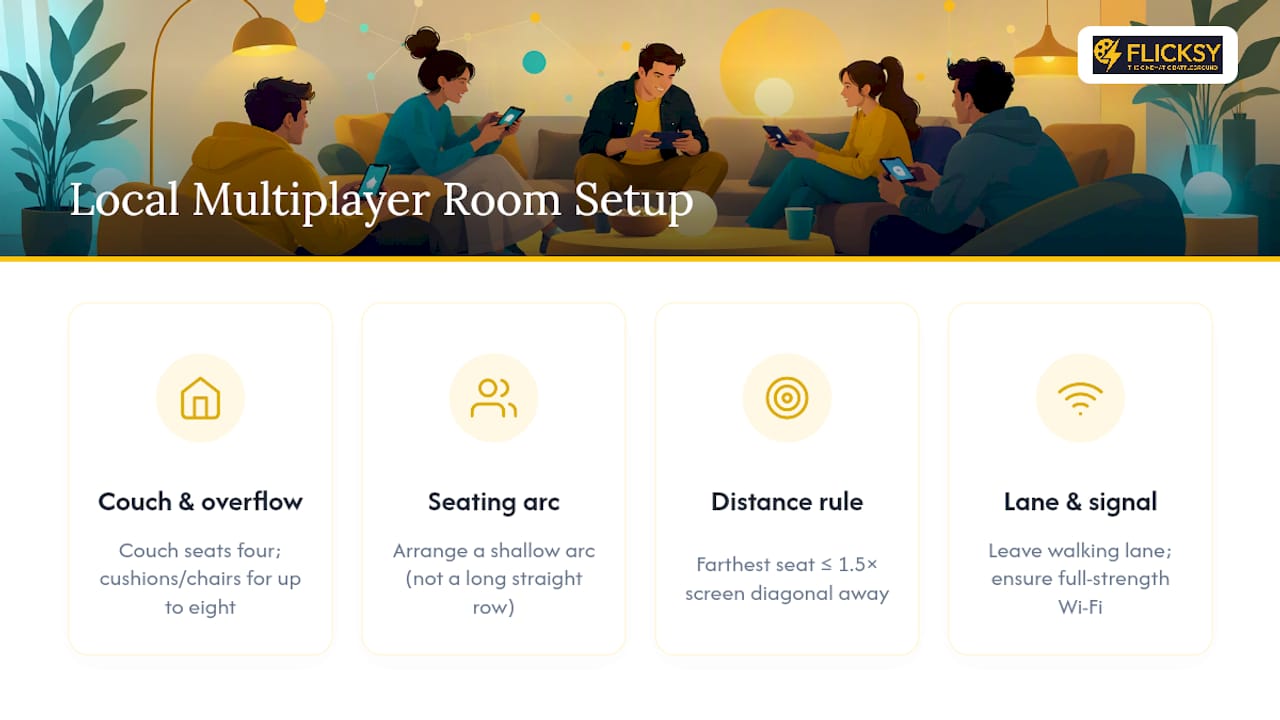
Leave a walking lane behind the couch. Someone will need to grab drinks, swap a controller, or let a latecomer squeeze past, and a blocked path turns a five-second errand into a ten-minute disruption. If you're using phone controllers, make sure Wi-Fi reaches the seating area at full strength. A weak signal on one phone can lag that player out of an otherwise smooth round.
How Do You Keep Everyone Engaged Between Turns?
Downtime is the silent killer of couch parties. A player who waits eight minutes for their next turn is a player scrolling their phone by minute three.
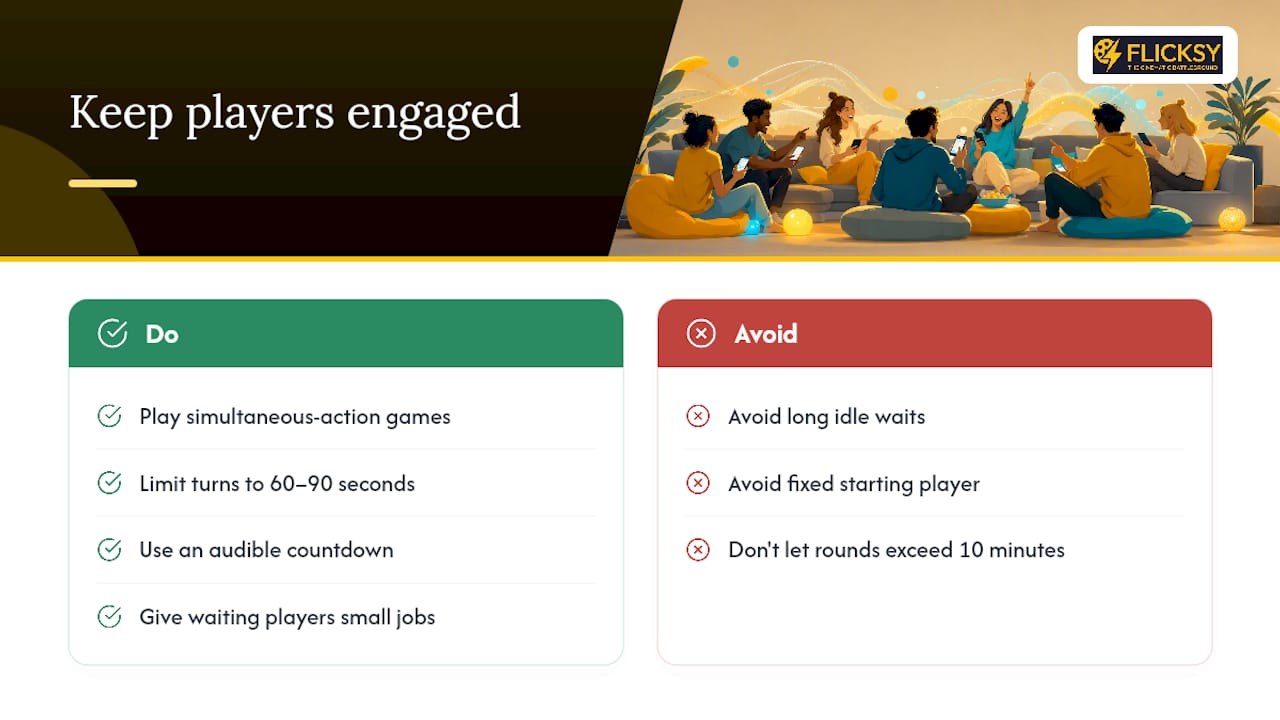
The fix starts with game selection. Games that let all players act simultaneously, like trivia rounds or chaotic mini-game packs, eliminate the wait entirely because nobody sits out a round. If your group insists on a turn-based game, cap individual turns at 60 to 90 seconds and enforce it out loud. A friendly countdown keeps things moving without feeling like a punishment.
Give the "waiting" players a job instead of a bench seat. Let them predict the outcome, keep score, or pick the next challenge. Small responsibilities keep attention on the screen even when hands are off the controller.
Rotate who goes first each round rather than always starting with the same player. It sounds minor, but starting position affects perceived control, and predictable rotation prevents the same one or two people from feeling like they're always waiting their turn.
Finally, watch the clock more than the scoreboard. If a single round drags past ten minutes, cut it short and move to the next game, even mid-session. A party that ends five games at their peak beats one that finishes two games nobody wanted to keep playing.
The Real Lesson Behind Every Successful Couch Party
Most advice on this topic obsesses over which game is "best," as if the right title alone guarantees a good night. That's backwards. The games that consistently work for casual groups aren't the deepest or most acclaimed. They're the ones with the least friction between "let's play something" and someone actually holding a controller.
Conventional wisdom pushes toward big-name multiplayer titles with steep learning curves, assuming everyone wants competitive depth. In practice, most mixed groups want low stakes and fast turnover more than mastery. A trivia round where your aunt can compete with your gamer cousin beats a fighting game where she gets wrecked in ten seconds every time.
Prioritize setup speed first, group fit second, and game "quality" a distant third. A mediocre game everyone can join in thirty seconds will always outperform a great one that takes fifteen minutes to configure.
— Aakash
Ready to Skip the Setup Headaches?
If controller-hunting and long install times have derailed party nights before, Flicksy solves that specific problem: everyone's phone becomes their controller, rounds run fast, and there's no gear to dig out of a drawer.
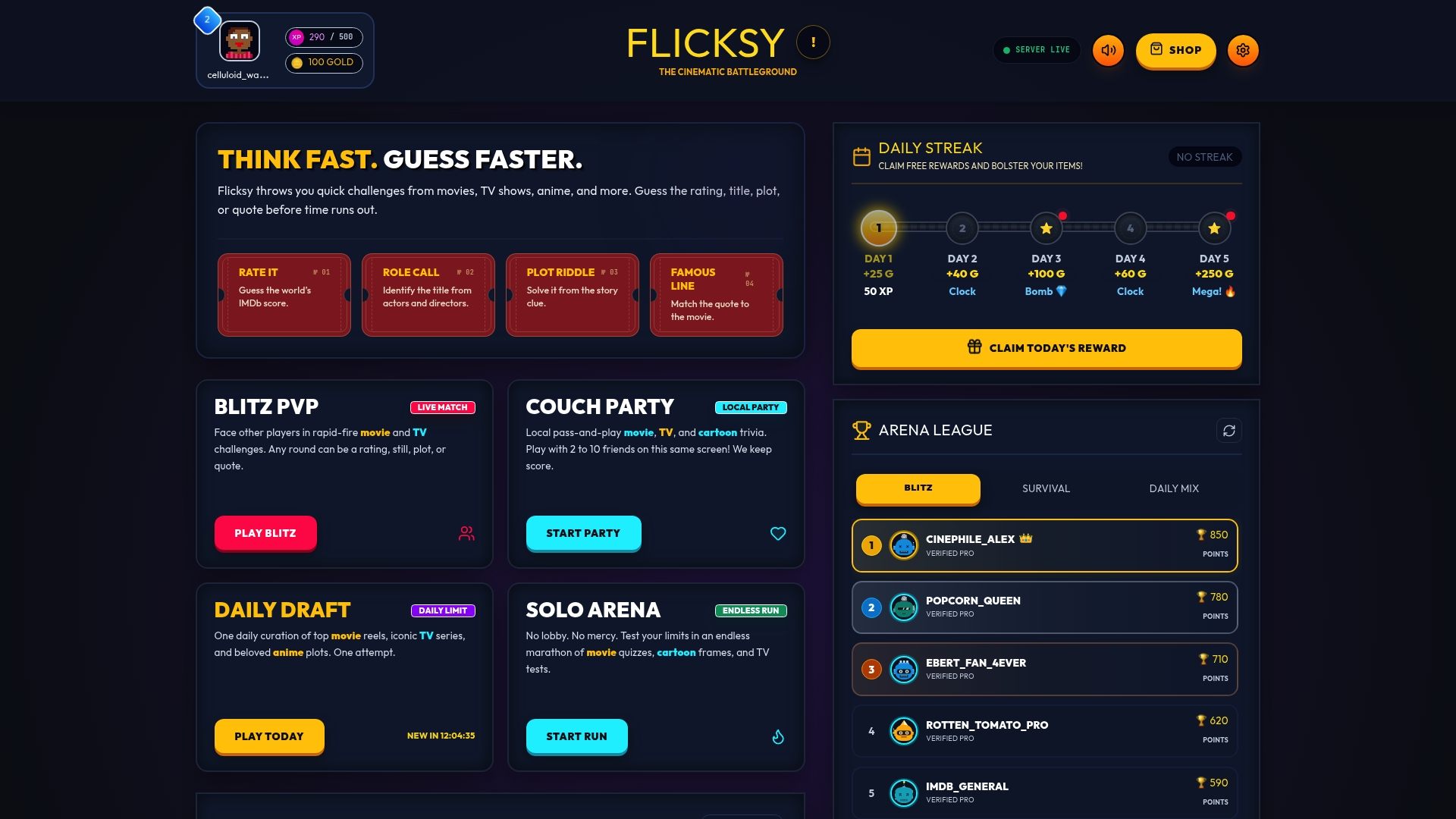
Couch Party mode is built around curated movie, TV, and anime trivia that works whether your group is two die-hard fans or eight mixed-interest friends who just want something fun on screen. Rounds are short by design, matches fill fast, and daily rewards give people a reason to come back next weekend instead of just tonight. If you want head-to-head bragging rights instead of a group round, Blitz PvP handles that too.
Open Flicksy on your phone, start a Couch Party lobby, and have your first round running before anyone finishes finding a seat.
Sources
- Gaming couch party game night — TechPP (2026)
- Great couch multiplayer games for PS5 — PlayStation editorial
- Best couch co-op games to play together — GameSpot